Pharmacy & inventory
Products, GRN stock-in, FEFO dispensing, alerts, counter sales, and bulk import/export.
app.remedz.com / pharmacy
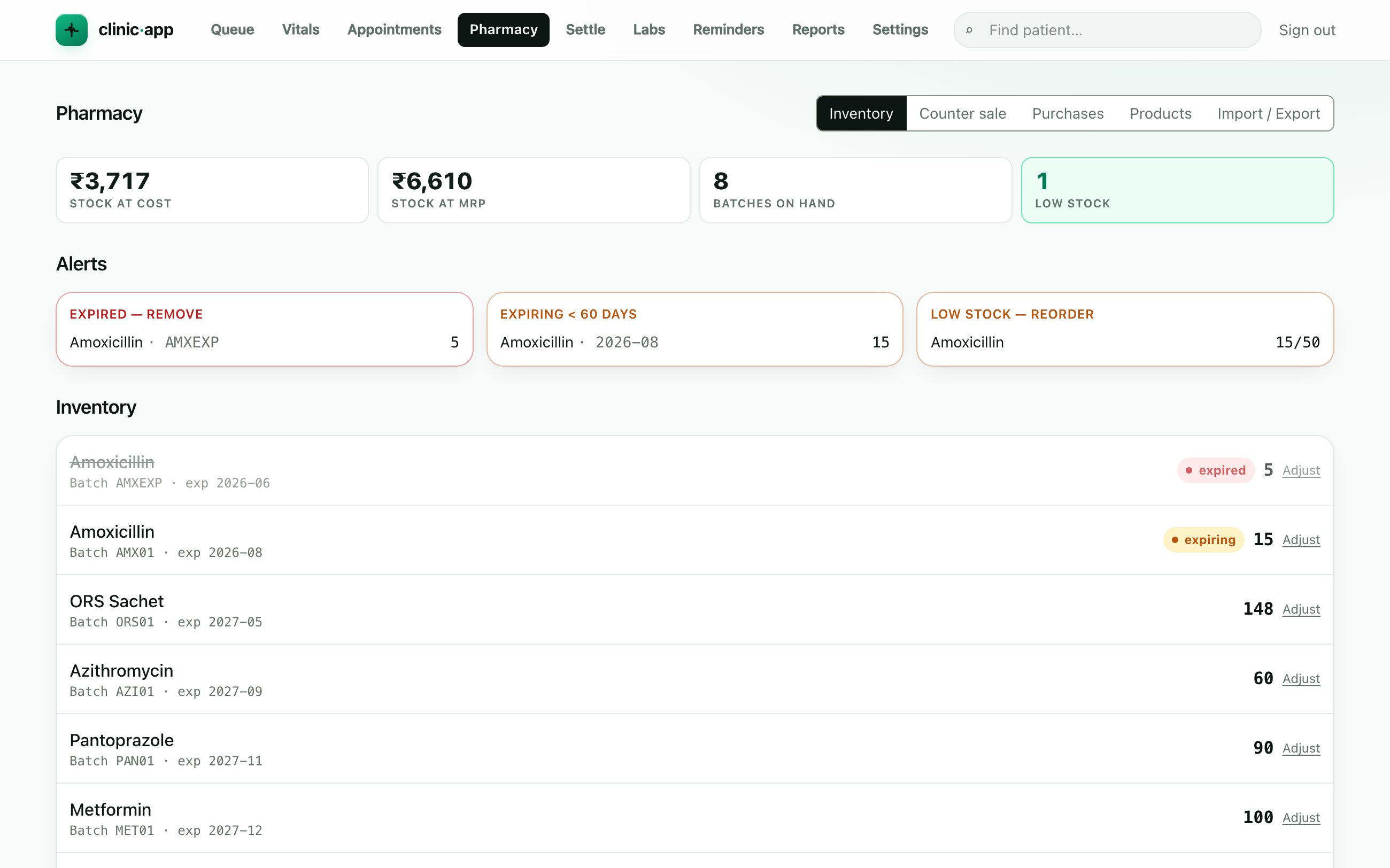
Products & stock
- Add products with schedule (OTC/H/H1/X), GST rate, MRP and a reorder level.
- Stock in via a GRN (goods receipt) against a supplier — creates dated batches.
- Edit any product or supplier, or archive a discontinued product — it leaves the sell and reorder lists but its batches and history are kept.
Dispensing
Dispense against a confirmed visit: stock is allocated First-Expiry-First-Out (FEFO) across batches and a medicine invoice is raised. Expired stock is never sold.
Counter sale
Sell to a walk-in with no consult — pick products, dispense FEFO, raise a GST bill, and take payment on the spot.
Alerts & adjustments
- The Alerts panel shows low-stock (at/below reorder level), expiring (<60 days) and expired-but-on-hand batches, plus stock valuation at cost and MRP.
- Adjust a batch for write-offs, breakage, count corrections or returns — every change is reasoned and audited.
Import, export & stock-take
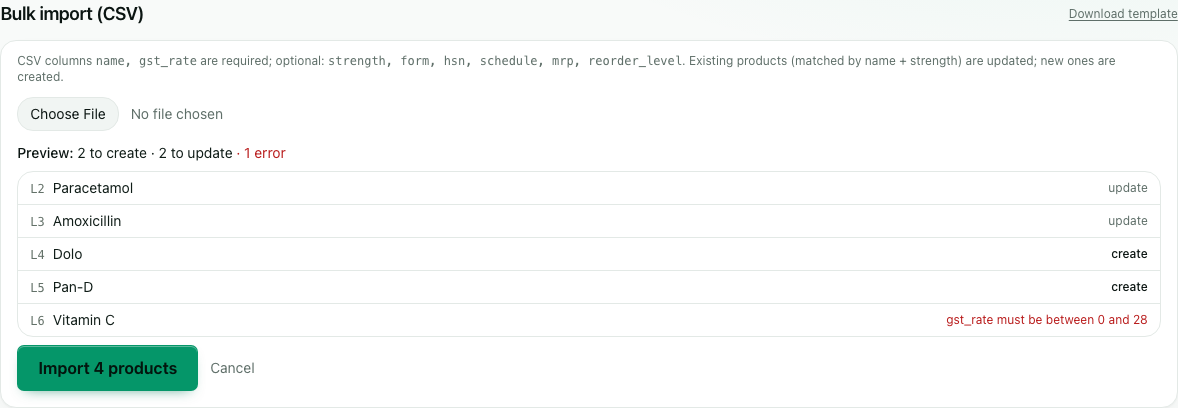
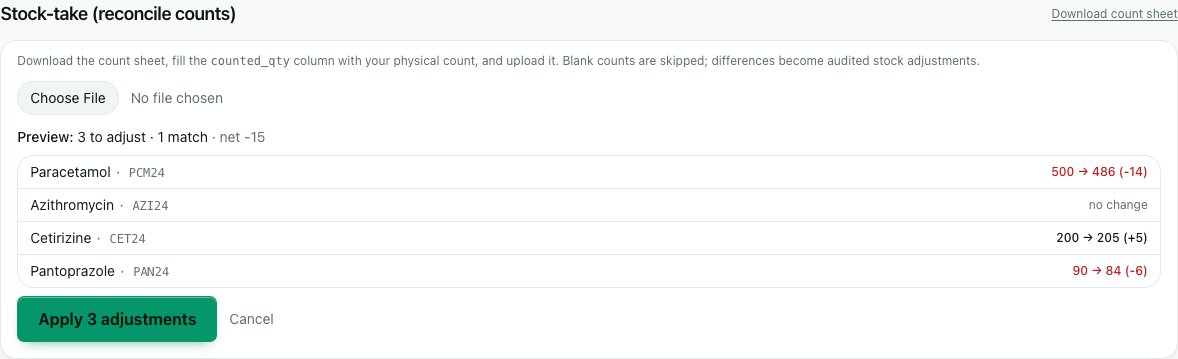
Onboard a formulary and reconcile stock in bulk. Every import shows a preview before anything is written, with invalid rows flagged and skipped.
- Export CSV — the product formulary, inventory with valuation, or the stock-movement ledger, to reconcile against a physical count or your accounts.
- Bulk product import — upload a CSV to create and update products at once; a per-row preview shows exactly what will change.
- Stock-take — download a count sheet, enter physical counts, and upload it; the differences are previewed and applied as audited stock adjustments.
app.remedz.com / pharmacy
app.remedz.com / pharmacy
Ready to try it? Start free trial →